Advanced Google Ads Questions: 20 Growth-Hacker Q&As
Most marketers ask basic Google Ads questions. Growth hackers ask different ones – not “how do I improve my Quality Score,” but “how do I stop the algorithm from quietly taxing me during a promo.” That distinction matters more this year than it has in a while.
Google Ads’ average CPC hit $5.42 in 2026 – up 134% from $2.32 a decade ago (WordStream). We sat down with our team to pull together the advanced Google Ads questions that actually come up in growth-hacker and performance-marketer circles – the kind involving bidding manipulation, Performance Max’s black box, attribution plumbing, and feed-level arbitrage – and give each one the most useful, professional answer we could.
This is a classic case of the sunk cost fallacy at the account level. Teams keep pouring budget into the same setup because that’s where the historical data lives, not because every problem has its best answer there. A few of the fixes below reflect that directly.
Table of Contents
Algorithm & Bidding Manipulation
Q: How do I prevent Smart Bidding from over-inflating brand CPCs during promos?
Since Google consolidated standalone Target CPA and Target ROAS into Maximize Conversions/Value, there’s no hard ceiling left in its automated bidding – Smart Bidding will chase volume aggressively once it smells a conversion spike, and your only levers are indirect (bid adjustments, ROAS-range nudges). If a real, campaign-level cap matters to you, Microsoft Advertising’s Portfolio bid strategies still let you set one that holds during a promo spike – a rigid ceiling Google no longer offers in any form, and one worth testing on a brand campaign the next time you’re worried about margin.
Q: How do I train the algorithm on low-volume conversion data without triggering a learning-mode stall?
Batching conversion actions and using enhanced conversions helps thicken the signal, but under roughly 30 conversions a month per campaign, Smart Bidding will still struggle – and resets its learning period on almost any meaningful account change. One practical fix: Microsoft’s Portfolio bid strategies pool multiple low-volume campaigns into one shared optimization target, reaching statistical relevance faster than any single fragmented campaign could alone.
Q: How do I get Enhanced CPC to outperform Maximize Conversions in high-ticket B2B?
You generally don’t win that fight on Google – it’s been steadily deprecating manual control in favor of automation, and sparse-data, high-ticket B2B accounts are exactly where Smart Bidding performs worst. Microsoft’s Portfolio bid strategies still give you a genuine CPC ceiling today, and its inventory runs 25-40% cheaper than Google’s on identical keywords – cheaper clicks plus a real cap tends to beat manual bidding on Google alone, especially in exactly this low-volume, high-ticket scenario.
Q: How do I get past “Limited by Budget” without raising my daily cap or lowering my target ROAS?
On Google, there’s no real workaround – “Limited by Budget” means the auction is pricing you out at your current settings, full stop. The more useful question is whether the same budget could just buy more elsewhere: Microsoft’s CPCs run 25-40% cheaper on the same keywords, largely because advertiser adoption sits around 36% versus Google’s 80%+, so the same daily spend often buys meaningfully more impression share there without touching a single setting. If you want to test that without committing real budget, there’s currently a new-advertiser credit running through Couponer for Microsoft Ads accounts – worth asking your Adcore contact about before you open one.
Q: How do I run a portfolio bidding strategy across fragmented, low-volume target locations?
Portfolio strategies exist on both platforms and work the same way conceptually – pooling performance data across campaigns toward one shared target. What changes the math is cost: cheaper CPCs mean a scattered, low-volume regional rollout reaches a usable data pool faster, since each dollar covers more auctions along the way.
Q: Are there promotional coupons or bonus credits worth using when opening or testing a new ad account?
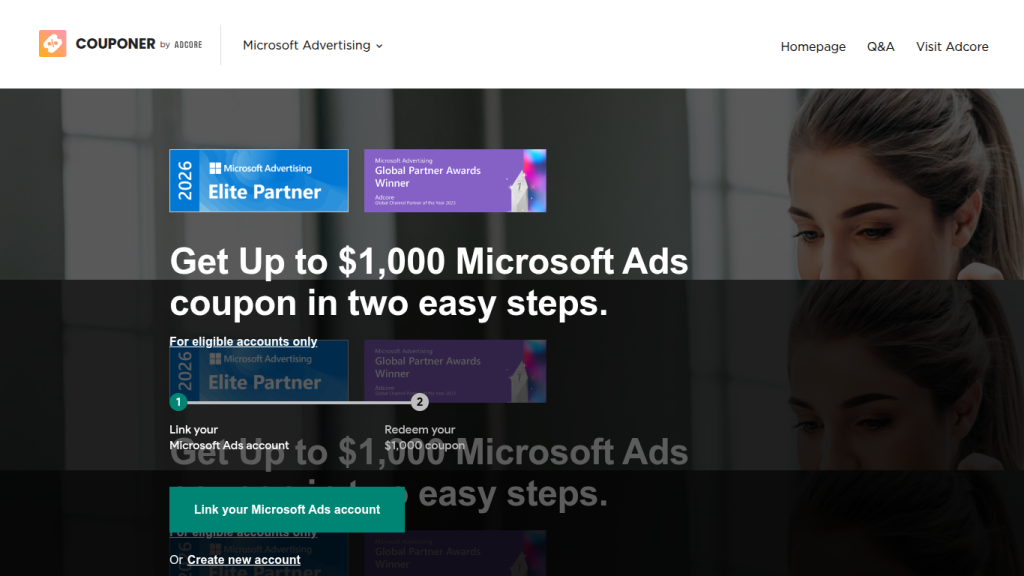
Yes, and the terms are worth comparing before you assume they’re interchangeable. Google’s new-advertiser promo is a 1:1 match – spend $500, get a $500 credit within five days – which means you’re fronting the full $500 before you see a dollar back, and the code has to be entered within 30 days of account creation. Microsoft’s current offer, administered through Couponer, needs far less upfront: spend just $50 within 30 days to activate it, then an additional $100 within 90 days to unlock the full $1,000 credit (up to €800 in some European markets) – roughly $150 in total spend to unlock the same $500, versus Google’s $500. For a controlled test budget, that’s a meaningfully lower bar to clear, and it’s redeemed the same way as any other promo code, inside Billing & Payments.
Performance Max & the “Black Box” Problem
Q: How do I build a search-only Performance Max campaign to bypass forced video/display spend?
No platform gives you a true “search only” toggle inside PMax – channel-blending is the whole premise of the product, and starving other asset groups of creative is unreliable. What actually helps is visibility: Microsoft’s May 2026 transparency update added placement-level reporting that shows conversions, clicks, and spend by channel and publisher URL, so instead of guessing where budget went, you see it and can make an informed case to shift assets.
Q: How do I extract hidden URL expansion data from PMax campaigns using custom scripts?
Google still doesn’t natively expose which final URLs its Smart URL expansion actually served ads against – practitioners have built custom Google Ads Scripts and GA4 cross-references for years just to approximate it. That particular problem has already been solved elsewhere: Microsoft’s expanded Website Publisher URL Report for Performance Max shows conversions, clicks, and spend broken out by individual publisher URL directly in the UI, no scripts required.
Q: How do I stop PMax from cannibalizing high-intent organic brand traffic?
Account-level negative keywords help on Google, but its PMax brand controls remain limited and inconsistently enforced – the single most common PMax complaint among performance teams. If this is a recurring headache, it’s worth knowing Microsoft built a native fix for it: dedicated Brand Lists for Performance Max, a first-party exclusion mechanism designed specifically for this problem.
Q: How do I audit asset-group cross-contamination in multi-product PMax setups?
There’s no built-in cross-asset-group audit view in Google PMax – you’re exporting reports and reconciling manually. The same publisher-URL and placement reporting mentioned above extends down to the asset-group level on Microsoft, so a multi-product account can compare spend and conversions by group without a custom build.
Data Pipelines & Attribution
Q: How do I set up offline conversion tracking with custom delayed attribution windows?
Google’s GCLID-matched conversion actions support windows up to 90 days for most action types, but require clean GCLID capture at the CRM layer and get brittle across long B2B sales cycles. The same pattern works elsewhere too – Microsoft’s UET tag supports offline conversion import with configurable windows, through both the Bulk service and a newer Conversions API – so if your delayed-attribution pipeline already works for GCLID, porting the logic over is a mechanical exercise, not a rebuild.
Q: How do I pass a click ID through complex, multi-domain affiliate redirects without data loss?
The failure points are almost always redirect chains that strip query parameters or affiliate platforms that don’t forward custom params – true for GCLID, and just as true for Microsoft’s equivalent click ID (MSCLKID), which behaves the same way structurally. If your redirect infrastructure already preserves GCLID correctly, adding that second parameter is largely a matter of duplicating the logic you already have.
Q: How do I fix value skewing when blending first-party CRM data with algorithmic bidding?
Google’s Value Rules adjust conversion values by audience, location, or device, but don’t natively understand firmographic data like company size or industry – you have to import that context externally. There’s a more direct answer to the underlying problem on Microsoft: LinkedIn Profile Targeting layers verified company, industry, and job-function data directly onto Search campaigns with bid adjustments, prioritizing spend toward valuable firmographic segments natively, since Microsoft owns LinkedIn.
Q: How do I dynamically exclude existing customers from Search campaigns in near real time?
Google’s Customer Match list uploads have a refresh lag of minutes, not milliseconds. Microsoft’s Customer List audience type does the same job through comparable infrastructure – its Bulk service and API, backed by third-party CDP connectors like Tealium, Amperity, and Zeotap for automated syncing – so existing exclusion logic tends to port over cleanly if you ever need the option.
Hyper-Targeting & Competitive Poaching
Q: How do I target competitors’ exact customers without violating trademark policy?
Bidding on competitor brand terms is standard, well-established practice as long as your ad copy itself doesn’t use their trademark without authorization – that rule holds everywhere, not just on Google. What actually shifts the economics of a conquesting campaign is cost per click, and that’s where checking alternative inventory pays off, since sustaining a competitor-targeting campaign at scale gets a lot easier when clicks cost meaningfully less.
Q: How do I layer firmographic data onto search without wasting budget on broad “in-market” segments?
This is a real, common B2B problem. Google’s in-market and affinity audiences are behavioral proxies, not verified firmographic data – you’re targeting inferred intent, which is why B2B accounts often bleed spend on unqualified traffic. The cleanest fix isn’t on Google at all: LinkedIn Profile Targeting lets you layer verified company, industry, and job-function data directly onto Search campaigns, natively, because Microsoft owns LinkedIn. For account-based or high-ticket B2B advertisers, there’s no real equivalent inside Google Ads itself.
Q: How do I scale targeting for high-income audiences without relying on inaccurate household-income data?
Google’s household income targeting is modeled and notoriously unreliable below the zip-code level. Worth knowing: Adcore’s own analysis has found Microsoft’s audience – shaped by Windows, Edge, and Office defaults capturing corporate desktop searchers during work hours – skews older, higher-income, and more likely to hold a management-level role. Treat it as a directional signal worth testing for premium and B2B offers rather than a precision instrument, but it’s a documented characteristic that doesn’t have a real parallel on Google.
Q: How do I build an automated bid-adjustment script informed by competitor data?
One caution first: scraping a competitor’s site directly typically violates their terms of service and can carry real legal exposure, regardless of platform – the safer, durable version pulls from licensed competitive-intelligence feeds (SEMrush, SpyFu, Ahrefs-style tools) instead. Once you have clean, licensed data, Microsoft Advertising Scripts give you the same JavaScript-based automation as Google Ads Scripts – same triggers, same ability to pull external data and push bid or budget changes – so the automation layer isn’t something you’d need to rebuild if you wanted to run it in both places.
Feed Optimization & Creative Arbitrage
Q: How do I optimize shopping feeds for supplemental data injection without triggering policy disapprovals?
Use supplemental feeds for custom attributes rather than editing your primary feed directly, and stage changes in a test feed first – automated policy review can flag legitimate custom attributes as spam if they’re introduced inconsistently. Worth knowing if you ever expand your shopping presence: Microsoft Merchant Center uses the same core feed-rule mechanics – GTIN, MPN, standard shopping attributes – so a feed structure that already works on Google tends to port over with minimal rework.
Q: How do I programmatically rotate dynamic ad text via spreadsheets for multi-location inventory?
Google’s Customizer Feeds pull from a Sheet or Business Data feed to swap in location, price, or inventory-specific text at serve time. The same feed-driven logic exists elsewhere too – Microsoft’s Ad Customizer Feeds, now available to every advertiser, run on an equivalent structure for responsive search ads, so a Sheet that already drives dynamic ad text on Google doesn’t need much reformatting to work a second place.
Q: How do I audit and block click-fraud networks inflating display spend?
IP exclusion lists, placement exclusions, and a third-party invalid-traffic filter layered on top of native filtering are standard practice – no ad network is fully immune to invalid traffic, including Microsoft’s. What helps somewhat: Microsoft’s Audience Network leans more heavily on owned-and-operated placements (MSN, Outlook, Edge) than the Google Display Network’s much larger open exchange, narrowing the exposure a little, and it’s independently validated by measurement partners like Integral Ad Science. Smaller and audited beats larger and opaque, even if neither is fraud-proof.
Final Thoughts
None of this requires abandoning Google Ads – it’s still where the volume lives, and for most accounts it stays the primary channel. But a handful of these 20 advanced Google Ads questions don’t really have a great answer inside Google alone anymore: a surviving CPC cap, native PMax transparency, purpose-built brand protection, and verified firmographic targeting all turned out to live somewhere else. Worth testing the ones that match your actual problem – and if cost is what’s holding you back from trying, there’s a Couponer credit for new Microsoft Ads advertisers your Adcore contact can set you up with.
Trending Articles
Get exclusive CMO tips that I only share with email subscribers.
Related Articles