Stay ahead of the game

Sign up for our newsletter to receive the latest digital marketing strategies and insights for the month ahead, delivered straight to your inbox!

    TikTok Ads Support Q&A: All You Need To Know

    Ad PlatformsTikTok Ads

    Search for a TikTok Ads support phone number and you’ll find a dozen of them. None belong to TikTok. TikTok has never run a public phone line for advertisers, so every number you find is outdated at best and a scam at worst.

    That’s the real problem with TikTok Ads support. The help exists, but it lives inside a chatbot, a ticket form and a help center most advertisers only open when something is already broken. And the stakes keep climbing. TikTok’s US ad revenue is projected to reach $14.5 billion in 2026, about 38% of its global ad revenue, according to WARC. More spend means more accounts in review, more failed payments and more people looking for a human.

    Daniel Kahneman and Amos Tversky called it loss aversion: a loss hurts roughly twice as much as an equal gain feels good. A suspended account with nobody to talk to isn’t one bad day. It’s every sale you watch slip away while you wait for a reply.

    So here are straight answers to the TikTok Ads support questions advertisers search for most: how to reach a real person, whether there’s an email or phone line, how to appeal a suspension, and what to do about rejected ads, failed payments and broken tracking. Every answer links to TikTok’s own help article, so you can go straight to the official source.

    Table of Contents

    How to contact TikTok Ads support: chat, tickets and forms

    What is the TikTok Ads support phone number?

    There isn’t one. TikTok doesn’t offer phone support for advertisers in any market. Every official route is a chat, a ticket or a web form inside TikTok’s business tools. If a website lists a “TikTok Ads hotline”, don’t call it, and never share your login, payment details or verification codes with anyone who answers.

    How do I reach a real person at TikTok Ads support?

    Through the Ad Assistant. Log into TikTok Ads Manager, Business Center or the Business Help Center, click the blue round icon in the bottom-right corner, then click Get support at the top of the chat window. Pick the topic that matches your problem, describe it, and choose Submit or Enter chat. TikTok explains each step in How to contact TikTok for Business customer support.

    Put the problem in one sentence and include your Advertiser ID, Business Center ID and the affected campaign or ad IDs in your first message. A complete ticket gets routed to the right team. A vague one comes back with questions.

    Why does TikTok Ads support keep sending me to a chatbot?

    Because the Ad Assistant answers first by design. It handles quick how-to questions and account checks on its own. If its answer doesn’t solve your issue, click I need more help under any of its replies. That opens the Get support menu, where you can file a ticket or start a chat with an agent.

    Is TikTok Ads support available 24/7?

    The Ad Assistant is always on, but human agents aren’t. TikTok doesn’t publish fixed support hours, and replies depend on your market, your account and the issue type. For account appeals, TikTok says to expect a reply within two business days. If your account breaks on a Friday night, file the ticket anyway so you’re first in the queue on Monday.

    Is there a TikTok Ads support email address?

    Not one you can write to. TikTok doesn’t list a public email for advertiser support. Email comes in after you open a ticket, and TikTok names the domains its support and onboarding teams use: @advertiser.tiktok.com, [email protected] and @c.tiktok.com. Anything claiming to be TikTok from another domain deserves a second look before you click.

    What if I can’t log in to TikTok Ads Manager?

    Use the Feedback and Help contact form linked from the same TikTok support article. It’s built for advertisers who are locked out or who can’t reach the Ad Assistant. Use the email address tied to the ad account, so support can match your request to the right business.

    Did the US joint venture change TikTok Ads support?

    Not in any way you’ll notice. On January 22, 2026, TikTok USDS Joint Venture LLC took over TikTok’s US business. Ads Manager, Smart+, the ad formats, pixels and the Events API all kept running, and support still runs through the same Ad Assistant and ticket flow. What may shift is delivery, as the US recommendation algorithm is retrained on US data.

    tiktok ads account suspension

    Account, billing and verification issues

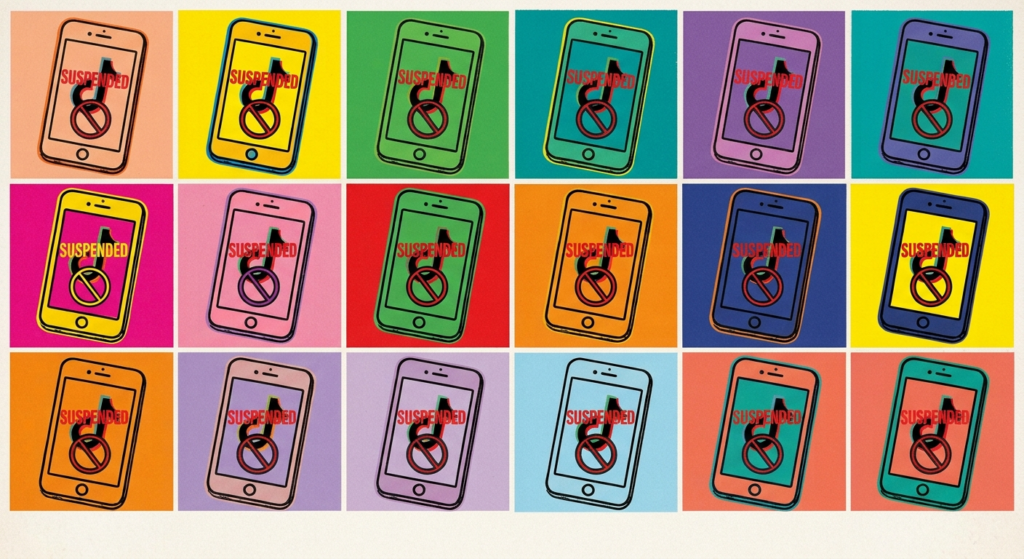
    My TikTok Ads account was suspended. How do I appeal?

    First, don’t open a new ad account. TikTok asks advertisers to avoid creating new accounts while an appeal is under review, and doing it anyway can slow the review or get the new account suspended too. Then follow TikTok’s steps in How to troubleshoot a suspended ad account: sign in to the suspended account, click the ? Help icon, click Submit ticket in Ad Assistant, and choose Account/Ad Review as the issue category.

    Explain what caused the problem and exactly what you changed, and attach screenshots. File one appeal per incident, because duplicate appeals slow the queue. TikTok says you should hear back within two business days. For the triggers we see most, read our guide to the most common TikTok Ads support issues.

    How long do I have to appeal a TikTok Ads suspension?

    For a first violation, 30 days. According to TikTok’s article About suspended ad accounts, a temporary suspension becomes permanent if the issues remain or your appeal is rejected after 30 days, and a permanent suspension can’t be appealed. Severe violations can skip straight to suspension, so check the Account Health tab in Ads Manager before a warning turns into a stop.

    What can I still do in a suspended account?

    Very little. All ads stop, and they return to their original status once the suspension is lifted. Admins and Operators can still change the delivery status of campaigns, ad groups and ads, but nothing else. You also lose features like pixel transfers, and agency accounts can’t create new ad accounts or add funds.

    My TikTok Ads payment failed. What should I do?

    Check the payment details in Ads Manager or Business Center, confirm the card hasn’t expired, and make sure its limit covers the charge. Ask your bank whether it blocked the transaction, then retry in a different browser or add another payment method. TikTok also suggests clearing the Ads Manager cache by adding &reset_cache=1 to the end of the URL. The full list is in TikTok’s payment failure checklist.

    Can I get a refund from TikTok Ads?

    Usually, if your account is in good standing. With manual or automatic payment, you can request your unspent balance back, minus taxes paid, but the ad account closes in the process. If the account belongs to a Business Center, you can transfer the balance to another ad account instead. Suspended accounts follow a separate process: TikTok’s risk and compliance teams review each request, so a refund isn’t guaranteed. TikTok explains it in How to request a refund for a suspended ad account.

    How do I pass TikTok business verification?

    TikTok asks you to verify your business when you create an ad account, and again once spend reaches a set threshold. You can verify in Ads Manager under account settings, or in Business Center under Verification. Most failures come from mismatches: the business name, address and country you entered must match the documents you upload, and the documents must be the ones accepted for your market. TikTok lists them in How to verify your business on TikTok. Verify at the Business Center level and you can share that status with your linked TikTok accounts.

    Campaign, tracking and Business Center issues

    Why were my TikTok ads rejected, and how do I appeal?

    TikTok rejects ads that break its advertising policies, from misleading claims to unlicensed music to landing pages that don’t match the ad. Most ads are reviewed within 24 hours, according to TikTok’s Ad Review FAQs. If the rejection notice names a fix, edit the ad and save it, and it goes back into review automatically.

    If you think the decision is wrong, use One Click Appeal. In the Campaign tab, hover over the rejected ad or ad group’s status, click View more, then click Appeal, add your reason and upload supporting materials. Each ad group gets one appeal, so make it count. TikTok walks through it in Appeal rejected ad with One Click Appeal.

    Why aren’t my TikTok ads delivering?

    Check in this order: account status (suspension or verification), payment and balance, the Business Center spending cap, ad review status, then budget, bid and audience size. The first three stop everything at once. The rest usually cut delivery for one campaign or ad group. If ads are live but budgets sit unspent, our guide on why TikTok ads aren’t spending covers the bid and learning-phase fixes.

    Why aren’t my TikTok conversions tracking?

    Usually the pixel. Install the TikTok Pixel Helper Chrome extension and browse your site to see whether the base code and each event fire. Then remove duplicate pixel code from themes, plugins or tag managers, set up the Events API so browser blocking doesn’t wipe out your data, and use the same event ID for pixel and Events API events so TikTok can deduplicate them. Fix this fast, because TikTok’s bidding is only as smart as the signals you send it.

    Why can’t I see my ad accounts in Business Center?

    In most cases the user was invited at the wrong role, or the ad account was never assigned to them as an asset. Ask the Business Center admin to grant the right role to the correct email, then assign the ad account, pixel and catalog. If an agency still owns the account, it has to share access through its own Business Center, or transfer ownership back to you.

    Where do I get TikTok Shop support?

    Not through Ads Manager. TikTok Shop runs its own help desk inside Seller Center, and seller issues such as orders, payouts and product listings go there. Ads issues on Shop campaigns, like GMV Max delivery or Video Shopping Ads rejections, still go through Ads Manager support.

    Why isn’t my TikTok Ads promo code working?

    The usual causes are an account that isn’t new, a code entered after the eligibility window, a spend requirement that wasn’t met, or a typo. Credits are set by TikTok and vary by country and period. Our guide on how to apply a TikTok Ads coupon code walks through the steps.

    Is there a faster way to get TikTok Ads support?

    Yes. Work through an official TikTok Marketing Partner. TikTok vets its partners on performance, product and support standards, and partners get a direct line into TikTok’s partner team for escalations.

    Adcore is a TikTok Marketing Partner, and it passes that access on, for free, to the in-house advertisers, agencies and freelancers it supports:

    • A dedicated TikTok Ads specialist who already knows your accounts, with no shared ticket queue
    • Hands-on help with Business Center setup, business verification, pixel and Events API, Spark Ads and Smart+
    • Policy reviews, rejections, suspensions and billing issues escalated through the partner channel
    • Ad credits and partner-only promotions for eligible accounts
    • No fees, no spend commitment, no lock-in, and you keep full ownership of your Business Center

    Adcore already supports 95,000+ ad accounts and $600M in ad spend across 40+ countries. If you’re tired of talking to a chatbot, get free TikTok Ads support from Adcore and get a specialist who picks up where the bot stops.

    tiktok ads support gaudi style

    Summary

    TikTok Ads support runs through the Ad Assistant chat and tickets in Ads Manager and Business Center, with a contact form for advertisers who can’t log in. There’s no phone line and no public email address. For suspensions, failed payments, refunds, verification and rejected ads, TikTok’s own help articles are the fastest first step, and a ticket with every ID attached gets resolved faster than a vague one.

    If you’d rather have one specialist who already knows your account, Adcore’s free TikTok Ads support program gives you exactly that.

      Get exclusive CMO tips that I only share with email subscribers.

      Share this article
      Back to top