Stay ahead of the game

Sign up for our newsletter to receive the latest digital marketing strategies and insights for the month ahead, delivered straight to your inbox!

    TikTok Ads Coupon Code: How to Apply It [3 Easy Steps]

    Ad PlatformsTikTok Ads

    Most advertisers who search for a TikTok ads coupon code never actually redeem one. They find a listicle, copy a “code” that does not exist, and launch their first campaign at full price. Then they find out the offer was tied to how they registered, and the window closed weeks ago.

    That is expensive. TikTok’s ad reach hit 2.21 billion users in DataReportal’s April 2026 ranking, and Android users spend roughly 1 hour and 37 minutes a day in the app according to Similarweb. Every advertiser is fighting for that attention. The ones who start with matched credit get double the testing budget in their first month. The ones who skip it pay twice for the same learning curve.

    Kahneman and Tversky showed that people feel a loss about twice as strongly as an equal gain. Loss aversion is usually a bias to correct. Here it is a useful signal. Unclaimed credit is a real loss, it just never shows up on an invoice, so nobody feels it.

    In this guide I will show you exactly how to apply a TikTok coupon through Couponer, how assignable coupons work inside TikTok Ads Manager, which other TikTok deals are worth your time, and the mistakes that quietly void your credit.

    Table of Contents

    How to Apply a TikTok Ads Coupon Code

    Here is the part most guides get wrong. A TikTok ads coupon code is not a string you paste at checkout. It is an incentive attached to your ad account at the moment you register. If you sign up through the wrong door, there is nothing to apply later.

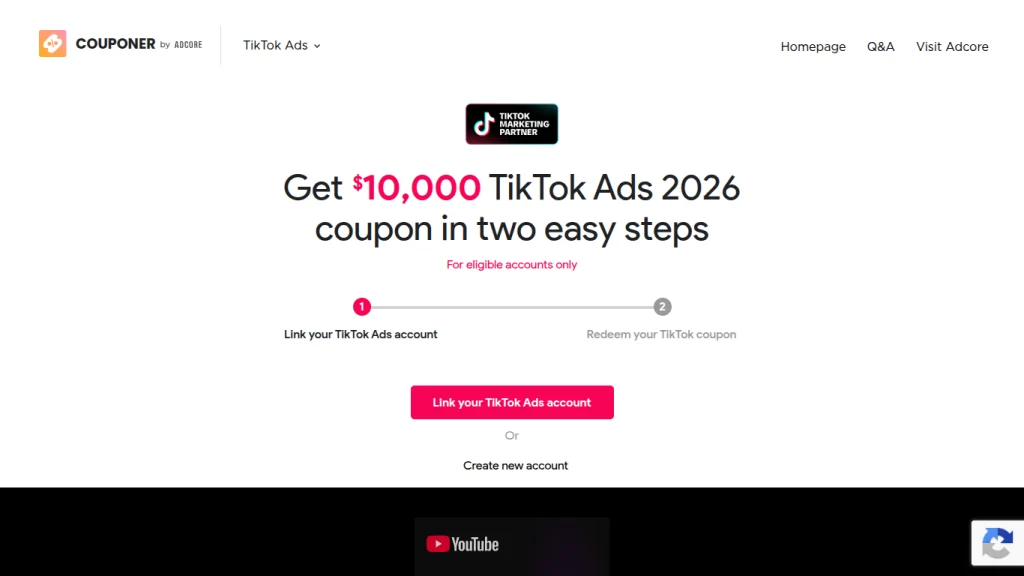
    That is why the process starts before you create your account. Couponer, Adcore’s free coupon tool, handles it in three steps.

    Step 1: Open Couponer and choose TikTok

    Go to couponer.app/tt. This is the registration path tied to Adcore’s TikTok Channel Sales Partner status. Do not create a TikTok Ads Manager account first. Registering directly on TikTok means your account will not be linked to the partner offer.

    Step 2: Register your new TikTok Ads Manager account

    Fill in your business details and create the account through the Couponer link. Use the region where your business is actually registered, since the offer is only valid for accounts registered in your local market. The coupon activates right after registration, and your 30-day promotion window starts that same day.

    Step 3: Spend, hit a tier, and collect your credit

    Launch your campaigns and spend within the 30-day window. TikTok matches what you spend at the highest tier you reach. Credit lands in your account 1 to 7 days after the promotion period ends, or once you hit the top tier.

    One technical note: install the TikTok Pixel or Events API before you launch. You need the conversion data to make that matched budget work, and it is a common eligibility requirement.

    The Current TikTok Coupon Tiers

    TikTok’s new advertiser incentive program runs as a “spend X, get Y” ladder. The public offer most coupon sites promote tops out at $6,000. As one of only seven badged TikTok Channel Sales Partners worldwide, Adcore can extend the ladder to $10,000.

    Spend within 30 days

    Matched credit

    Total media value

    $200

    $200

    $400

    $500

    $500

    $1,000

    $1,000

    $1,000

    $2,000

    $4,000

    $4,000

    $8,000

    $6,000

    $6,000

    $12,000

    $10,000 (CSP only)

    $10,000

    $20,000

    The math is simple. At the top public tier you get $12,000 in total media. Through the partner path you get $20,000. Same platform, same ads, $8,000 difference. If you want the full breakdown of how each threshold triggers, read our deep dive on how TikTok matched credit tiers work.

    TikTok Ads Assignable Coupons Explained

    Once your credit arrives, it does not always apply itself. Some TikTok coupons are issued as assignable coupons. These are ad credits you allocate to specific campaigns, which gives you control over where the free budget goes.

    Use that control. Put matched credit behind your best testing campaigns, not your brand awareness filler.

    How to allocate assignable coupons

    According to TikTok’s help center, the process takes under a minute:

    1. In TikTok Ads Manager, go to Tools, then Account setup.
    2. Open the Payment tab and select Promotions.
    3. Find your coupon and click View/Assign.
    4. Select assign campaign and pick the campaigns you want.
    5. Confirm your selection.

    You may also see a coupon dropdown during campaign creation, which lets you assign credit as you build.

    Rules that trip people up

    • Each coupon can be assigned to up to 30 campaigns for credits issued after July 31, 2024 (older credits were capped at 10).
    • You need administrator permissions to assign coupons.
    • Your ad account must keep a positive balance for ads to run, even with credit loaded.
    • Credit is deducted automatically from ad spend on the assigned campaigns.

    Coupon statuses to watch

    In the Promotions page you will see each coupon move through a status. Redeemed means issued but not yet allocated. Active means it is assigned and spending. Empty means fully used. Expired means the date passed before you spent it. Invalidated means it was voided, usually for a policy issue.

    The status that costs money is Redeemed. Credit sitting unassigned is credit that will eventually expire. Matched credits expire on the 30th day after the end of the next calendar quarter after issue (March 30, June 30, September 30 or December 30), so check this page weekly.

    Other TikTok Ads Deals and Offers

    The ladder coupon is the main event, but it is not the only incentive TikTok runs.

    Discount coupons

    TikTok also issues “a% off, up to b” discount coupons. These apply a percentage discount to each charge until you hit the subsidy cap. Less generous than a 1:1 match at scale, but useful for small test budgets.

    TikTok Shop seller coupons

    If you sell through TikTok Shop, coupons are often issued automatically when you connect your ad account or publish your first campaign. Check Tools, Payments, Promotions before assuming you have nothing.

    Card and regional promotions

    TikTok periodically runs card-issuer and region-specific offers, such as its AMEX coupon program in select markets. These are smaller and change often. Treat them as a bonus, not a strategy.

    You generally cannot stack a new advertiser incentive across multiple accounts. Incentives are limited to one per advertiser, and TikTok excludes accounts that look like existing advertisers. For a side-by-side of every route to free credit, see our guide to the TikTok new advertiser credit.

    Why TikTok Ads Are Worth the Spend

    A coupon only matters if the channel performs. TikTok does, for three reasons.

    Reach you cannot get elsewhere

    With 2.21 billion users in its ad audience, TikTok now reaches a scale that rivals the largest social platforms. A big share of that audience is under 35 and spends serious time in the feed every day.

    The algorithm rewards new accounts

    TikTok’s For You feed distributes content based on engagement, not follower count. A brand-new advertiser with strong creative can reach as many people as an established brand. That makes the first 30 days, exactly when your coupon window is open, the best time to test aggressively.

    Commerce is built in

    Integrations with Shopify, WooCommerce, BigCommerce and Salesforce, plus TikTok Shop, shorten the path from view to purchase. Fewer clicks between interest and checkout means a cleaner read on ROAS.

    The mistake I see most is advertisers treating matched credit as free money to spend loosely. It is the opposite. It is double budget to find winning creative faster. Plan your tests before you register, so you are not burning week one on setup.

    TikTok Ads Coupon Code FAQs

    Is there a universal TikTok ads coupon code I can paste in?

    No. TikTok ad incentives are attached to your account during registration through an eligible entry point. Any site listing a “copy this code” offer for Ads Manager is either outdated or describing a registration link. Our breakdown of the TikTok ads promo code covers this in more detail.

    Who is eligible?

    New advertisers who have never run ads in TikTok Ads Manager, registering in their local region. The offer is unique to the original recipient, cannot be forwarded, and can be redeemed once per advertiser. A new ad account ID under the same Business Center that already received a coupon will not qualify again.

    How long do I have to hit a tier?

    30 days from your registration date, not from your first campaign. Register when you are ready to launch.

    When does the credit show up?

    Usually 1 to 7 days after your promotion period ends, or once you reach the highest tier.

    Can TikTok withdraw my credit?

    Yes. TikTok reserves the right to withhold or withdraw ad credits, including for content that breaks its advertising policies. Keep your creative compliant from day one.

    How do I manage the campaigns once credit is live?

    Run them in TikTok Ads Manager, or manage TikTok alongside Microsoft, Google and other channels from one dashboard with Adcore’s Media Blast, so your matched budget gets optimized with the rest of your media mix.

    tiktok ads coupon

    A TikTok ads coupon code is not a code, it is a registration path. Pick the right one before you create your account, spend inside the 30-day window, and assign your credit to the campaigns that deserve it. The public offer caps at $6,000 in matched credit, while the Channel Sales Partner route through Couponer goes up to $10,000.

    If you are about to open a new TikTok Ads Manager account, start at couponer.app/tt and claim your credit in three easy steps.

      Get exclusive CMO tips that I only share with email subscribers.

      Share this article
      Back to top