Stay ahead of the game

Sign up for our newsletter to receive the latest digital marketing strategies and insights for the month ahead, delivered straight to your inbox!

    TikTok New Advertiser Credit: How to Claim

    TikTok Ads

    I’ve spent years watching new TikTok advertisers stall out before they even spend a dollar. Not because the platform is complicated, but because nobody walked them through the fine print. The TikTok new advertiser credit is one of the most generous first-time incentives in digital advertising right now, up to $10,000 in matched spend, and most people I talk to in my PPC community have never claimed one. The registration step is where they trip up.

    Here’s why the timing matters. TikTok’s global ad revenue is expected to nearly quadruple by 2026 compared to 2022 levels, according to Statista. More advertisers means rising CPMs, which means the value of free matched credit only goes down the longer you wait.

    There’s a psychological reason the deadline matters too. Kahneman and Tversky’s research on loss aversion found that people feel the sting of missing out roughly twice as strongly as they enjoy an equivalent gain. Every day your TikTok Ads Manager account sits idle after registration is a day ticked off a credit window you can’t get back.

    In this guide, I’ll walk you through exactly how to claim your TikTok new advertiser credit through Couponer, step by step, plus the mistakes that quietly cost advertisers thousands.

    Table of Contents

    Step 1: Confirm You Qualify as a New Advertiser

    The offer only applies to newly registered advertisers. If your business or agency has ever run a paid campaign on TikTok, under any TikTok Ads Manager or Business Center account tied to your organization, you’re not eligible. This isn’t a soft rule.

    TikTok enforces a strict one account, one coupon policy. If your company already has a Business Center account, a second advertiser ID under that same account cannot join the program, even if it registers through a completely different channel (say, a landing page instead of Business Center). TikTok’s system flags the connection at the account level, not just the advertiser ID level.

    Before you do anything else, check:

    • Has this legal entity ever spent on TikTok Ads before, under any account?
    • Is there an existing Business Center or TT4B account tied to your organization?
    • If you’re an agency, is this genuinely a client’s first TikTok account, not a reactivation?

    Reactivated accounts, meaning any account that previously spent and went dormant, do not qualify, no matter how long the inactivity period.

    If you’ve confirmed you’re a clean, first-time advertiser, you’re ready to register the right way, which is where most of the value is actually won or lost.

    Microsoft Ads Credits for new advertisers

    Step 2: Register Through Couponer Before You Touch TikTok Ads Manager

    This is the step that separates a $6,000 credit from a $10,000 one, and it has to happen before your TikTok Ads Manager account exists.

    TikTok’s standard, self-serve new-advertiser offer caps matched credit at $6,000. But TikTok’s Channel Sales Partner (CSP) program, launched in January 2026 with only 7 companies selected globally, unlocks a higher ceiling: 1:1 matched credit up to $10,000. Adcore is one of those 7 partners, and Couponer (couponer.app/tt) is the registration portal that routes your new account through Adcore’s CSP infrastructure.

    Here’s the mechanic that trips people up: the credit tier is locked in at the moment your TikTok Ads Manager account is created, based on how that account was registered. If you create your account independently first, then try to attach a partner link afterward, you’re too late. The standard $6,000 offer, not the $10,000 CSP offer, is what applies.

    The fix is simple: go to couponer.app/tt and register your new-advertiser account from there, before creating anything directly in TikTok Ads Manager. Couponer routes the registration through Adcore’s CSP link automatically, so your account is tagged for the higher tier from the moment it’s created.

    Step 3: Set Up Your Account and Start the 30-Day Clock

    Once you’ve registered through Couponer, Adcore’s team handles the technical setup: your Enterprise Business Center, TikTok Pixel installation, and Events API configuration. This part matters more than most new advertisers realize, because unmeasured spend can still count toward your threshold, but you’ll be flying blind on performance if your pixel isn’t firing correctly.

    Here’s the timeline that actually governs the offer:

    • The 30-day promotion window starts from your account’s creation date, not from your first dollar spent. The clock is already running the moment the account exists.
    • Only spend on non-Shop ad products counts toward your matched-credit tier. TikTok Shop ad spend is excluded.
    • The credit you receive is based on the highest tier threshold you reach, not your exact spend. Spend $300 and you’re matched at the $250 tier, not $300. You’d need to hit $500 to unlock the next one.

    Here’s the USD tier breakdown for the CSP-exclusive offer:

    SpendGet
    $250$250
    $500$500
    $1,000$1,000
    $4,000$4,000
    $6,000$6,000
    $10,000$10,000

    Once you cross a tier threshold, TikTok typically deposits the matched credit into your Ads Manager balance within 24-48 hours, though larger tiers may involve a brief verification step. The clock doesn’t pause for setup delays, so the sooner your account goes live, the sooner it’s worth launching your first campaign.

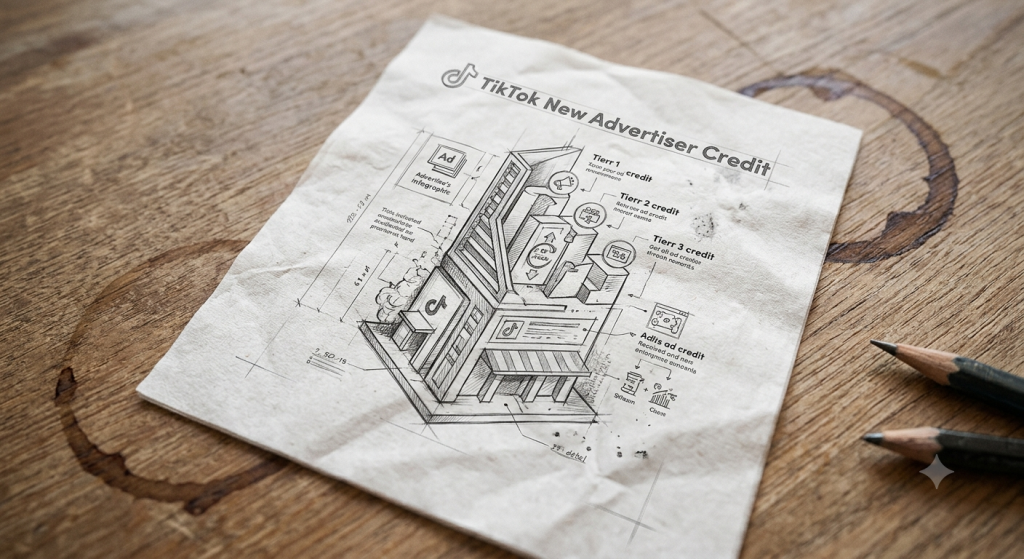
    TikTok New Advertiser Credit sketch

    PART 4: Common Mistakes That Cost Advertisers Their Credit

    I’ve seen the same handful of mistakes drain thousands of dollars in credit that advertisers were fully entitled to. Watch out for these:

    Creating the account before registering through Couponer. This is the single costliest mistake. Once your TikTok Ads Manager account exists without the CSP link attached, you’re locked into the standard $6,000 program. There’s no retroactive fix.

    Spending on TikTok Shop ads and expecting it to count. Only non-Shop campaigns qualify toward your tier threshold. If your first campaigns are Shop-focused, you can burn through your 30-day window without moving toward a single tier.

    Stopping just short of a tier. Spending $950 gets you matched at the $500 tier, not a proportional reward for the extra $450. If you’re close to a threshold, a small additional push can be worth far more than the spend itself.

    Letting the credit expire unused. Matched credits carry their own expiration date, visible under Coupon Progress in Ads Manager. Unused credit that expires is gone. Plan your post-launch spend around that date, not just around the 30-day earning window.

    Opening a second advertiser ID under an existing Business Center. TikTok’s system checks at the account level. A “new” advertiser ID under an organization that already has a Business Center will be rejected, even if it looks like a fresh registration.

    Pro Tip: Plan Your Spend to Hit the Next Tier

    Because credit is matched at the highest threshold reached, not your exact spend, the smartest move is to plan your 30-day budget around the nearest tier boundary rather than a round number that happens to fall short.

    If your natural monthly budget is around $900, pushing it to $1,000 doesn’t cost you much more, but it doubles your matched credit compared to landing at $500. The same logic applies at every tier: $3,800 in planned spend is a lot closer to the $4,000 threshold than it looks, and that gap is worth closing.

    This is also where having your TikTok Pixel and Events set up correctly pays off. If your tracking isn’t verified, you risk misjudging which campaigns are actually contributing to your spend total, and pulling back budget from something that was working.

    Before you finalize your 30-day plan, map out:

    1. Your total planned spend across all non-Shop campaigns
    2. The nearest tier threshold above that number
    3. Whether a small budget increase gets you there

    A few hundred extra dollars in planned spend, timed correctly, is often the difference between a $1,000 credit and a $4,000 one.

    Buttom line

    Claiming your TikTok new advertiser credit isn’t complicated once you know the order of operations: register through Couponer first, confirm your eligibility, and plan your spend around the tier thresholds instead of a random budget number. The advertisers who miss out almost always made one decision, usually creating their account too early, that locked them out of the higher tier before they even launched a campaign.

    If you want the setup handled end-to-end, from CSP registration through pixel configuration and campaign launch, Adcore’s Media Blast team manages the entire TikTok onboarding process alongside your Google and Meta accounts

    Frequently Asked Questions: TikTok New Advertiser Credit

    What is the TikTok new advertiser credit?

    The TikTok new advertiser credit is a matched-spend incentive for first-time TikTok advertisers. TikTok deposits free credit into your Ads Manager account equal to what you spend, up to a set threshold, during your first 30 days.


    How much is the TikTok new advertiser credit worth?

    TikTok’s standard public offer matches up to $6,000. Advertisers who register through a TikTok Channel Sales Partner, such as Adcore via Couponer, can access a higher ceiling of up to $10,000 in matched credit.


    Who is eligible for the TikTok new advertiser credit?

    Only newly registered advertisers qualify. An account must never have run a paid TikTok campaign before, under any Business Center or TikTok Ads Manager tied to that organization. Reactivated or previously-spent accounts are excluded.


    How do I claim my TikTok new advertiser credit through Couponer?

    Register at couponer.app/tt before creating a TikTok Ads Manager account. Couponer routes your registration through Adcore’s TikTok Channel Sales Partner link, which locks your account into the $10,000 matched-credit tier from the moment it’s created.


    When does the 30-day credit window start?

    The 30-day promotion window begins on your TikTok Ads Manager account creation date, not from your first ad spend. The clock runs during setup, so delays in launching campaigns reduce the time available to qualify.


    Does TikTok Shop ad spend count toward the new advertiser credit?

    No. Only spend on non-Shop ad products counts toward the matched-credit tier thresholds. TikTok Shop campaigns are excluded from the promotion entirely.


    How is the matched credit amount calculated?

    Credit is matched to the highest spend tier you reach, not your exact spend. For example, spending $300 qualifies you for the $250 tier and $250 in credit, not $300. Reaching $500 in spend is required to unlock the $500 tier.


    Can I combine the Microsoft Ads coupon with other promotions or discounts?

    No. Microsoft Ads promotional credits cannot be combined with other offers, coupon codes, or discounts. They also cannot be separated, redeemed for cash, transferred, or sold. Each code is single-use and tied to one account.


    Can I get the TikTok new advertiser credit after already creating my account?

    No. The credit tier is determined by how the account was registered at creation. If a TikTok Ads Manager account is created without a CSP partner link, it defaults to the standard $6,000 program and cannot be upgraded retroactively.


    How long does it take to receive the TikTok new advertiser credit?

    TikTok typically deposits matched credit into your Ads Manager balance within 24-48 hours of crossing a qualifying spend threshold. Higher tiers may require a brief verification step before the credit settles.


    Does the TikTok new advertiser credit expire?

    Yes. Matched credits carry their own expiration date, visible under Coupon Progress in TikTok Ads Manager. Unused credit is forfeited once it expires, so spend should be planned around that date.

      Get exclusive CMO tips that I only share with email subscribers.

      Share this article
      Back to top