4. Campaign Structure
Campaigns: Organize your advertising efforts based on your overall goals or product categories.
Ad Groups: Within each campaign, create ad groups that are focused on specific themes or keyword groups. This helps you create more targeted ads.
Keywords: Add relevant keywords to each ad group.
Ads: Create compelling text ads that highlight your unique selling points and include a clear call to action.
5. Create Your Ads
Write compelling ad copy:
Use strong headlines that grab attention. Highlight your unique selling points (USPs).
Include a clear call to action (e.g., “Shop Now,” “Learn More,” “Get a Free Quote”).
Make sure to use relevant keywords in your ad copy, try to include as many keywords or search terms that you believe you’re ad is relevant for.
Use ad extensions:
Sitelink extensions: Add links to specific pages on your website (e.g., product pages, contact page).
Call extensions: Display your phone number in your ad.
Location extensions: Show your business address.
Callout extensions: Highlight additional benefits or features (e.g., “Free Shipping,” “24/7 Support”).
Structured snippet extensions: Display structured information about your products or services (e.g., product categories, brands).
6. Set Your Budget and Bids
A budget is set on a daily basis. Each campaign has its own budget, determining how much you’re willing to spend on advertising each day for that campaign.
Bidding strategy:
When you create a campaign, in addition to setting a budget, you need to choose a bidding strategy that determines the goal the algorithm will optimize your ads for. There are both manual and automated bidding options.
Manual CPC (Cost-Per-Click): You manually set the maximum amount you’re willing to pay for each click.
Automated bidding strategies: Bing Ads offers various automated bidding options, such as Target CPA (Cost-Per-Acquisition), Target ROAS (Return on Ad Spend), and Maximize Clicks.
Set bids for your keywords: Based on your keyword research and competition, set bids for each of your keywords or let Bing automatically adjust your bids.
7. Targeting Options
You have to set your targeting options if you’d like to target only the potential clients. You can choose many targeting options.
Tip:
Every targeting option you choose will reduce your target audience size, so it’s important to maintain a balance between volume and relevancy.
Location targeting: Target users in specific countries, regions, cities, or even postal codes.
Demographic targeting: Target users based on age and gender (in some countries).
Device targeting: Target users based on the type of device they are using (e.g., desktop, mobile, tablet).
Audience targeting: Reach specific audiences based on their interests, behaviors, or demographics.
Remarketing: Show ads to people who have previously visited your website.
In-market audiences: Target users who are actively researching or considering buying products or services similar to yours.
Custom audiences: Create custom audiences based on your own data (e.g., customer lists).
8. Track Your Results and Optimize
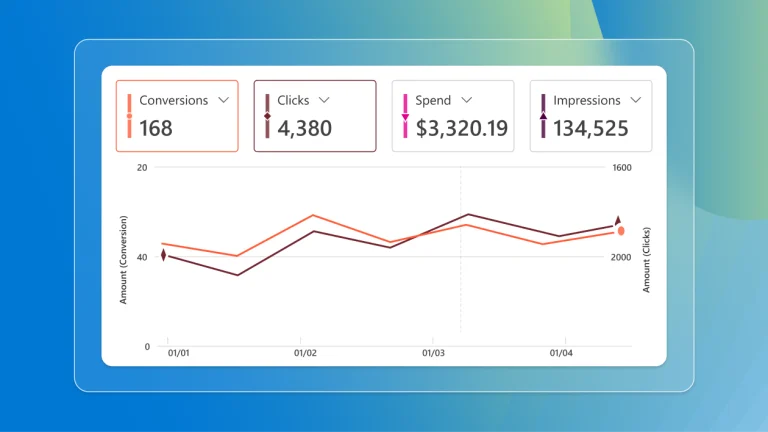
Monitor your campaign performance: Regularly check your key metrics, such as impressions, clicks, click-through rate (CTR), conversions, cost-per-conversion, and return on ad spend (ROAS).
Use conversion tracking: Set up conversion tracking to measure how many leads or sales your ads are generating.
Optimize your campaigns: Based on your data, make adjustments to your keywords, ads, bids, targeting, and budget to improve your performance.
A/B testing: Test different ad copy, landing pages, and bidding strategies to see what works best.
9. Microsoft Advertising Editor (Expert tip)
Consider using
Microsoft Advertising Editor, formly known as Bing Ads Editor. This is a free desktop application that allows you to manage your campaigns offline and upload changes in bulk.
Bing Ads Tips for Success
* Start small – Begin with a focused campaign and gradually expand as you learn what works.
* Be patient: It takes time to optimize your campaigns and see results.
* Test and iterate: Continuously experiment and make adjustments based on your data.
* Stay up-to-date: Keep up with the latest features and best practices for Bing Ads.
* Consider professional help: If you’re overwhelmed, consider hiring a digital marketing agency or consultant to manage your Bing Ads campaigns.
By following these steps, you can effectively start advertising on Bing and reach a wider audience for your business.
Good Luck!






 Back to top