How to Get Microsoft Ads Credits [Step-by-Step Guide]
Every week, someone in my PPC community asks the same question: “Is Microsoft Ads worth it?” My answer is always the same. Yes – but only if you start with free credit so you’re not risking your own budget on an untested channel.
Here’s the stat that changes minds fast: 38% of Bing users cannot be reached through Google Ads at all – that’s roughly 275 million unique users you’re leaving on the table every month (Microsoft Advertising Unique Audience Study, 2026). And Microsoft Ads CPCs run on average 33% lower than Google’s. So the audience is real, the intent is real, and the cost is lower. The only barrier is the first dollar you spend.
That’s exactly why Microsoft Ads credits exist. There’s a principle in behavioral economics called the Endowment Effect – once people experience something as theirs (even a free trial, even a credit), they’re far more likely to continue using it. Microsoft’s promotional credit program is a textbook application of this: get advertisers running, let the results speak, and watch them reinvest. It works because the platform genuinely delivers.
In this guide, I’ll walk you through every way to get Microsoft Ads credits in 2026 – who qualifies, how the matching system works, and the fastest path to having credit in your account today.
Table of Contents
What Are Microsoft Ads Credits and How Do They Work?
Microsoft Ads credits are promotional advertising funds added directly to your Microsoft Advertising account. They work as a matching system: once you spend a qualifying amount on real campaigns, Microsoft applies the credit automatically – no manual redemption needed after setup.
The standard mechanics:
- Spend a qualifying amount (typically around $250) within your new account
- Microsoft automatically applies the promotional credit (up to $1,000 via partner programs like Couponer)
- The credit offsets future ad spend dollar-for-dollar until it’s exhausted or expires (usually within 90 days of award)
This is not a discount code applied at checkout. It’s live ad budget that runs real campaigns against real search queries. For new advertisers, it’s the lowest-risk way to test a new channel with meaningful scale.
One important note: Microsoft advertising credits are tied to the account, not the payment method. If your payment method fails before the qualifying spend is met, the credit will not be applied. Set up a reliable payment method first, then generate your code.
Who Qualifies for Microsoft Advertising Credits?
Most Microsoft advertising credits are designed for new accounts – meaning accounts that have never run an active campaign on Microsoft Advertising before. But there are a few important layers to understand.
Standard new advertiser eligibility:
- Account must be genuinely new (no prior active campaigns)
- A primary payment method must be on file before the credit is applied
- The qualifying spend threshold must be met within the promotional window
- Available in most major markets including the US, UK, Canada, Australia, Germany, France, and 15+ others
Partner-sourced credits (like Couponer) have broader eligibility:
- Credits obtained through Adcore’s Couponer app can reach up to $1,000 – significantly higher than the standard direct Microsoft offer
- Adcore’s Elite Microsoft Partner status since 2017 gives it access to promotional codes that aren’t publicly available
- The process is open to new Microsoft Ads account holders globally, subject to regional availability
What disqualifies you:
- An existing active Microsoft Ads account (even a dormant one with prior spend)
- Accounts in unsupported regions
- Accounts where payment method setup is incomplete at time of redemption
If you’re unsure whether your account qualifies, the safest path is to start fresh through Couponer – the app checks eligibility automatically before generating your code.
Step-by-Step: How to Get Microsoft Ads Credits via Couponer
This is the fastest path to ad credits for Microsoft Ads – three steps, no forms, no sales calls, no waiting.
Couponer is a free app built by Adcore – an Elite Microsoft Advertising Partner since 2017. It generates unique promotional codes tied to new Microsoft Advertising accounts, giving new advertisers access to up to $1,000 in free Microsoft Ads credit.
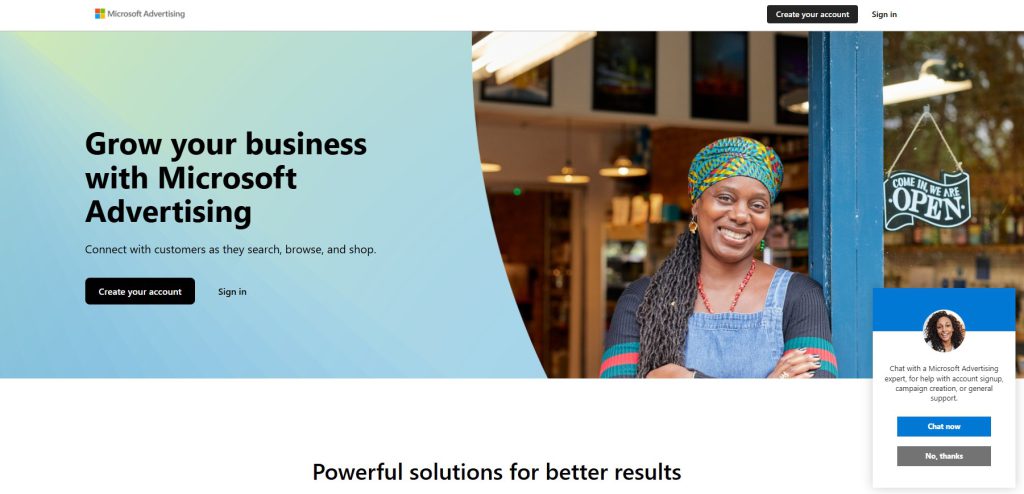
Step 1 – Go to couponer.app and select Microsoft Ads
Choose Microsoft Ads as your platform from the home screen. The app is free and requires no registration to get started.
Step 2 – Generate your unique promo code
The app instantly creates a personalized promotional code for your new account. This code is unique to you – it cannot be reused or shared. No contacting sales, no approval process.
Step 3 – Redeem the code in your Microsoft Ads account
Inside your Microsoft Advertising account:
- Go to Billing in the top navigation
- Select Payment Methods
- Click View Promotional Offers, then Add Promotional Code
- Enter your code and click Save
Once you meet the qualifying spend threshold, the credit is applied automatically. You can track its status anytime under the Promotions and Coupons section of your account.
Total time: under 5 minutes.
For a deeper breakdown of all the ways credits work across account types, the Microsoft Ads 2026 Q&A on the Adcore blog covers over 100 common questions from new advertisers.
How to Get Credits the Manual Way (Direct from Microsoft)
If you prefer going directly through Microsoft, credits are available – though the amounts and process differ from the partner route.
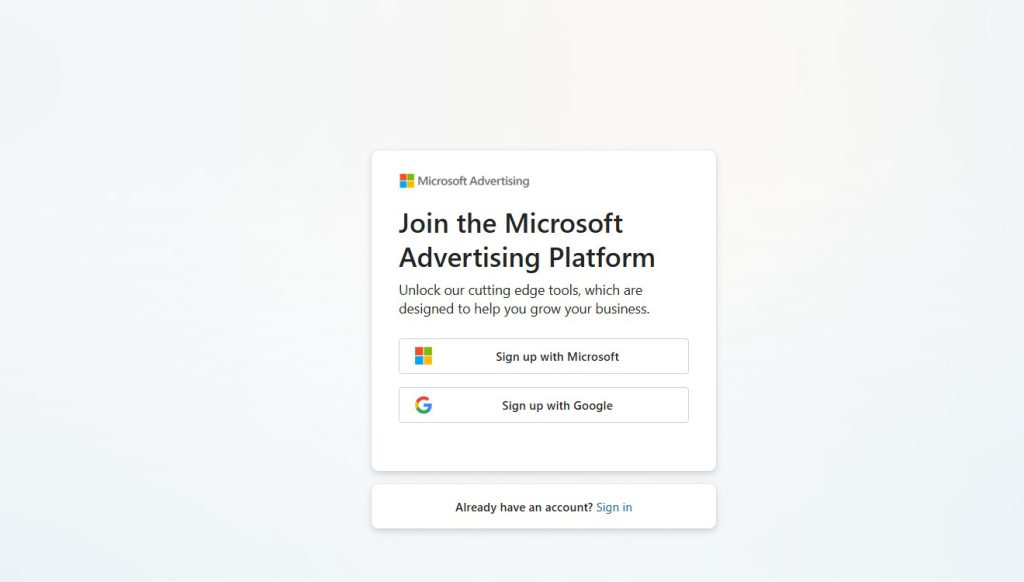
Option A – Sign up as a new advertiser
When creating a new Microsoft Advertising account at ads.microsoft.com, the platform sometimes automatically surfaces a promotional offer for new accounts. The credit amount varies by region and promotional period – typically between $100 and $500 in the US.
Option B – Through web hosting providers
Some hosting companies (Bluehost, GoDaddy, and others) bundle Microsoft Ads credits with their hosting plans. These typically offer $100-$200 in credit and are aimed at businesses setting up a new website alongside their first ad account.
Option C – Contact a Microsoft Advertising representative
If you manage a larger advertising budget, Microsoft’s sales team can sometimes provide direct promotional offers. This route requires a conversation and has no guaranteed outcome.
The honest comparison:
The manual routes offer less credit (usually $100-$500), take more time, and offer no certainty of outcome. The Couponer route – backed by Adcore’s Elite Partner status – delivers up to $1,000 in ad credits for Microsoft Ads instantly, with eligibility confirmed automatically. For new advertisers, it’s the more reliable option by a wide margin.
For context on how the Microsoft Ads platform compares to Google and why both deserve budget, this comprehensive Microsoft Ads guide on the Adcore blog is worth reading before you launch.
How to Make the Most of Your Free Credit
Getting the credit is the easy part. Getting it to perform is where most new advertisers leave money behind. Here’s how to extract real results from your ad credits for Microsoft Ads.
Import your Google Ads campaigns first
Microsoft Advertising has a built-in Google Ads import tool. In under 10 minutes, you can mirror your best-performing campaigns without rebuilding them from scratch. Start there – don’t reinvent the wheel with free budget.
Focus on high-intent keywords
Your credit is finite. Don’t burn it on broad match terms testing audience interest. Prioritize exact and phrase match keywords with proven purchase intent – branded terms, competitor terms, and bottom-funnel queries.
Enable LinkedIn Profile Targeting if you’re B2B
Microsoft is the only platform outside LinkedIn itself that allows targeting by job function, industry, and company size. This is a feature Google cannot offer. Turn it on immediately for B2B campaigns – it’s one of the most underused advantages on the platform.
Run for at least 30 days before judging performance
The Microsoft Ads algorithm needs time to learn. Most advertisers who quit early do so before the platform has enough signal to optimize. Allow 30 days minimum, then evaluate with complete data.
Track everything from day one
Install the Microsoft Advertising UET (Universal Event Tracking) tag before your campaigns go live. Without conversion tracking, you’re flying blind and can’t optimize once the free credit runs out.
If you want to manage Microsoft Ads alongside Google campaigns in a single interface, Adcore’s Media Blast supports both platforms and makes multi-channel optimization significantly easier once you’ve validated the channel.
Buttom line
Getting Microsoft Ads credits is not complicated – but most advertisers either don’t know the credits exist, or they go the slow manual route and settle for less. The fastest and highest-value path is Couponer: three steps, up to $1,000 in free credit, and your campaigns can be live today.
The Microsoft Search Network reaches over 724 million unique users monthly – many of whom will never appear in your Google campaigns. Free credits remove the only real barrier to testing that audience: the first spend.
Go to couponer.app, generate your code, and get your first Microsoft Ads campaign live before the end of this week.
Frequently Asked Questions: Microsoft Ads Coupon
How do I get a $1,000 Microsoft Ads coupon?
Go to Couponer, select Microsoft Ads, and generate your unique promo code in under three minutes. Couponer is built by Adcore, an Elite Microsoft Advertising Partner, so the codes are valid and current. Once you have the code, redeem it inside your Microsoft Ads account under Billing & Payments → Promotion codes.
Is the $1,000 Microsoft Ads coupon really free?
Yes. There is no charge to generate or redeem the code through Couponer. The spend-match model means you spend a qualifying amount on actual ads first, and Microsoft automatically applies the credit to your account once that threshold is met. You only pay for ads that run – the credit on top is genuinely free.
Can I use this coupon if I already have a Microsoft Ads account?
No. Microsoft Ads promotional credits of this type are exclusively for new advertisers – accounts that have never previously run advertising on the Microsoft Advertising platform. If you have an existing account, even a dormant one, it will not qualify.
How long does it take for the credit to appear in my account?
After you enter your promo code, confirmation typically appears within 5 to 10 minutes. The credit itself is applied automatically once you reach the minimum qualifying spend. You can monitor progress at any time under Billing & Payments → View promotional offers.
What happens if I don’t spend the full $1,000 credit?
Any remaining credit that has not been used by the offer’s expiration date is forfeited. It cannot be transferred to another account, refunded as cash, or rolled over. This is why it’s important to have campaigns ready to run as soon as you redeem the code.
Can I use the coupon on any type of Microsoft Ads campaign?
Generally yes – Search, Shopping, and Audience campaigns are all eligible. However, specific offer terms can vary by region and promotion period. Always check the terms attached to your specific code. When in doubt, contact Adcore’s support team for confirmation before launching.
My coupon code isn’t working – what should I check?
The most common issues are: the code has expired, the account is not brand new, there is no valid payment method on file, or there is a character spacing or case error when entering the code. Double-check all four before contacting support. Microsoft’s promotional offer troubleshooting page covers each scenario in detail.
Can I combine the Microsoft Ads coupon with other promotions or discounts?
No. Microsoft Ads promotional credits cannot be combined with other offers, coupon codes, or discounts. They also cannot be separated, redeemed for cash, transferred, or sold. Each code is single-use and tied to one account.
Does the coupon work in all countries?
Availability varies by region. The $1,000 offer is accessible through Couponer for advertisers in supported markets. If you are outside the primary supported regions, Couponer may present an alternative offer amount applicable to your location. The credit value may also reflect local currency equivalents.
What should I do after I’ve used up the credit?
Keep running. If your campaigns performed during the credit period, you have real data to optimize from. Review your conversion metrics, tighten your keyword list, and scale what worked. Adcore’s Media Blast platform makes it easy to manage Microsoft Ads and Google Ads together once you’re ready to invest full budget across both channels.
Trending Articles
Get exclusive CMO tips that I only share with email subscribers.
Related Articles